

- Claude vs ChatGPT is a choice by task, not a contest with one winner. Both write, search the web with citations, analyse files and help with code.
- Claude suits long documents and whole-site context, because its pricing page lists context windows of up to 1M tokens, depending on the model and plan.
- In a ChatGPT vs Claude choice, ChatGPT suits mixed work that includes images, interactive charts and plugins, and its web search works even without signing in.
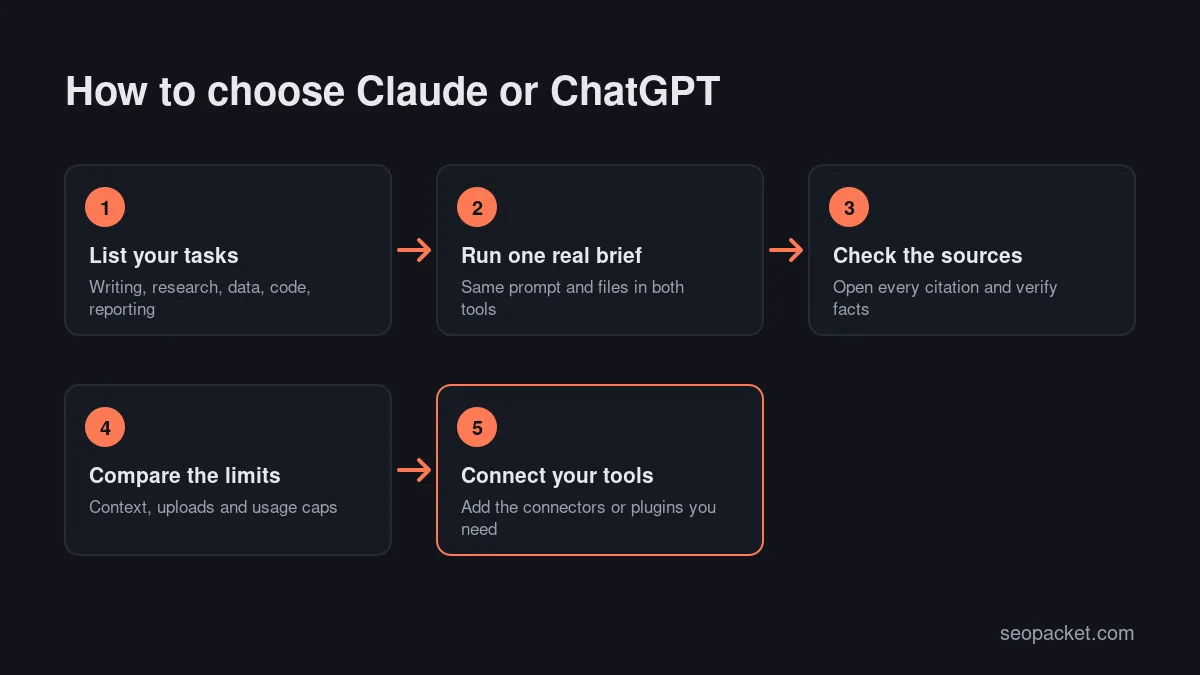
- For SEO teams, the best test is your own brief: run the same task in both tools, check every source, then choose Claude or ChatGPT by the limits and integrations that fit your work.
Claude vs ChatGPT comes down to the task: Claude suits long documents, editing large drafts and connecting your own tools through MCP, while ChatGPT suits mixed work that combines writing with images, interactive charts and a plugin directory. Both are capable writing and research assistants, and both have free plans, so the right choice depends on what you do every day.
This Claude vs ChatGPT guide compares the two for SEO and content work: writing and editing, long documents, research with citations, data and file analysis, technical SEO code, integrations, privacy and pricing. It ends with a decision table you can use with your own team.
In this Claude vs ChatGPT guide
Quick answer: In the Claude vs ChatGPT choice, pick Claude if you work with long documents, large exports or your own tools through MCP. Pick ChatGPT if you want one assistant for text, images, charts and plugins. If budget allows, keeping both and using each for what it does best is a sensible setup.
What is the difference between Claude and ChatGPT?
Claude is the AI assistant made by Anthropic, and ChatGPT is the AI assistant made by OpenAI. Both run on large language models, both can search the web, read files and write code, and both offer free and paid plans. The differences are in context size, integrations, visual tools and plan limits rather than in basic ability.
For SEO and content work, those differences matter more than any general ranking. A writer editing a 40-page guide, an analyst cleaning a Search Console export and a developer drafting schema each need something different. The rest of this Claude vs ChatGPT comparison follows those jobs one by one.
Claude vs ChatGPT at a glance
| Task | Claude | ChatGPT | Lean towards |
|---|---|---|---|
| Writing and editing | Drafts and edits, plus Artifacts and Docs | Drafts and edits, plus built-in images | Test both |
| Long documents | Up to 1M tokens, by model and plan | Context varies by plan and model | Claude |
| Web research | Web search with citations on every plan | Web search with citations, even signed out | Either |
| Deep research | Research on Pro and above | Deep research, limited on Free | Either |
| Data and files | Creates and edits files with code execution | Data analysis, interactive charts on Plus | ChatGPT |
| Technical SEO code | Claude Code on Pro and above | Codex, limited on Free | Either |
| Integrations | Connectors, custom MCP servers | Plugins, custom GPTs, custom MCP servers | Depends on your stack |
| Team privacy | No training on Team content by default | No training on Business data | Either |
All Claude vs ChatGPT features in this table are as listed on the official Claude pricing page and ChatGPT pricing page at the time of writing. Both change often, so check them before you buy.
Claude vs ChatGPT for writing and editing
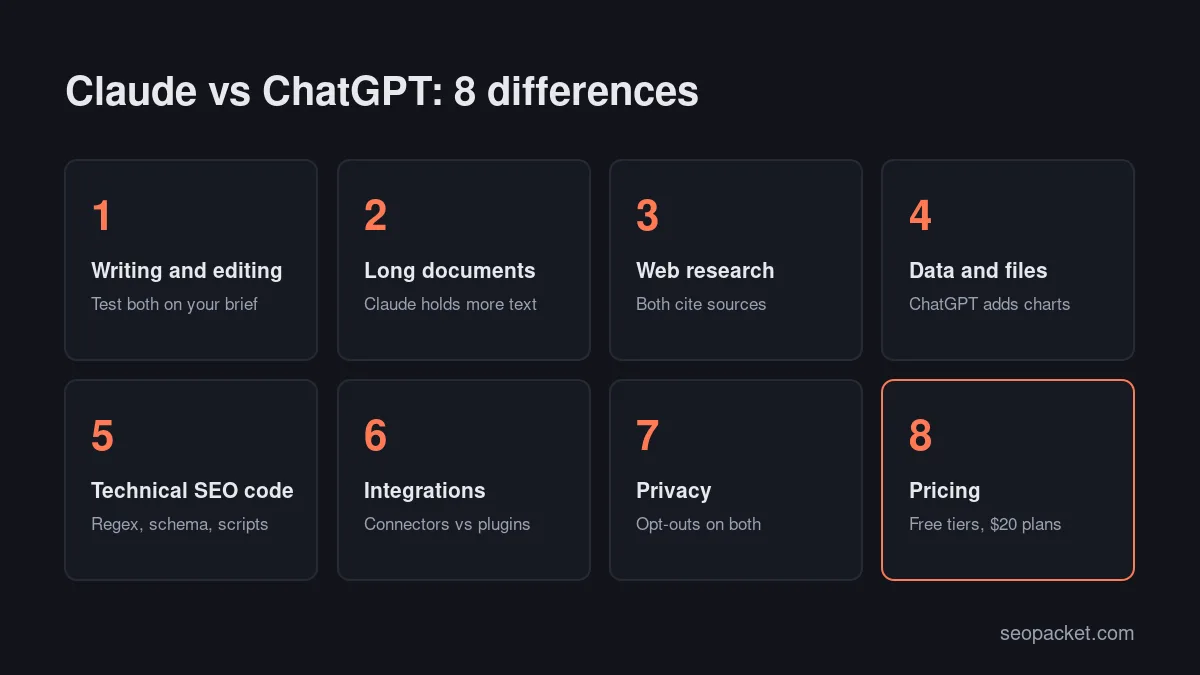
Both tools can produce fluent first drafts, and neither should publish without a human edit. The practical differences are in how you work with long drafts and what sits around the text: Claude offers Artifacts and can create documents and files, while ChatGPT adds built-in image generation for featured images and diagrams.
The best way to settle Claude vs ChatGPT for writing is to give both the same brief with your style guide, target reader and outline. Then compare the drafts on accuracy, structure and how much editing they need. Judge the drafts, not the brand name.
A few habits help with either assistant:
- Store your brand voice in a project. Both offer Projects, so you can keep the style guide, product facts and examples in one place instead of pasting them every time.
- Ask for an outline first. Agree the H2s and the direct answers before asking for full sections.
- Feed it facts, not hopes. Paste the product details, prices and sources you want used, and ask it to flag anything it cannot support.
- Edit for experience. Add your own examples, screenshots and opinions. Google’s guidance on helpful content asks whether a page shows first-hand experience.
If you write SEO content, our on-page SEO checklist is a useful final pass, whether Claude or ChatGPT drafted the page.
Claude vs ChatGPT for long documents and context
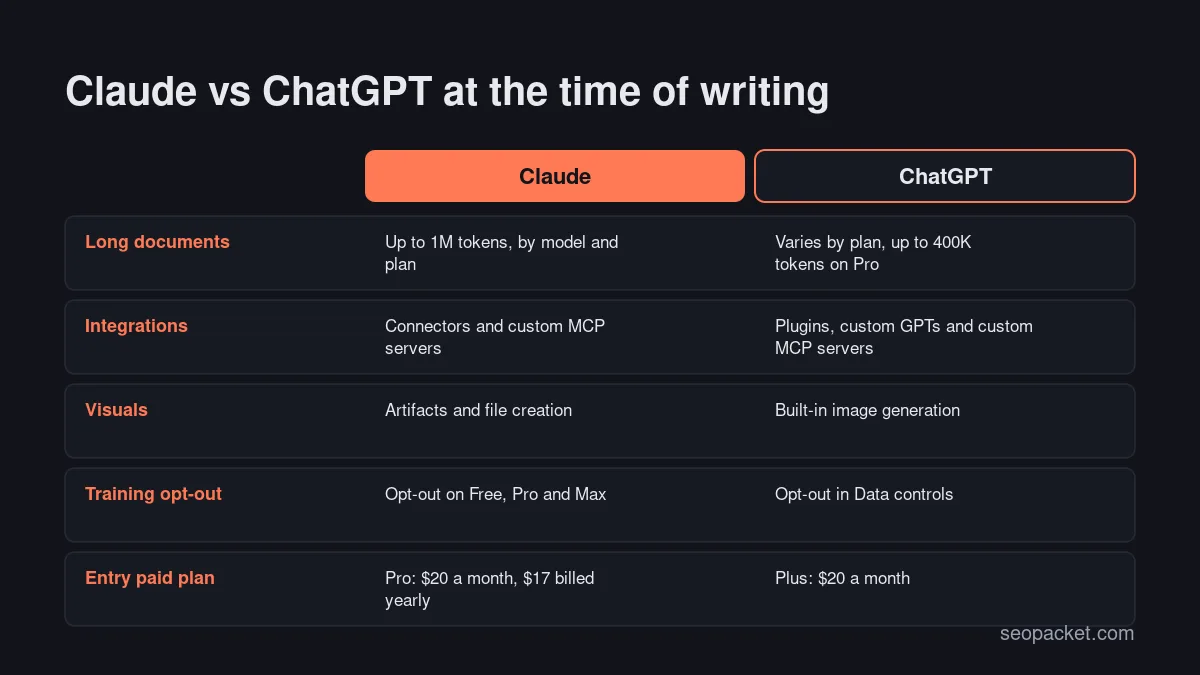
Context is the amount of text an assistant can consider at once, measured in tokens (roughly a short word or part of a word). At the time of writing, Claude’s pricing page lists context windows of up to 1M tokens, depending on the model and plan; check the page for what your plan includes. ChatGPT’s pricing page lists different windows by plan, from smaller limits on Free to up to 400K tokens for reasoning models on Pro.
That makes Claude the safer pick in a ChatGPT vs Claude comparison focused on long documents, when you need the whole thing in view: a 30,000-word content audit, a full crawl export, a long interview transcript or every page of a small website. ChatGPT handles most single articles and briefs comfortably on paid plans, but on Free you may need to split long files.
Watch out: A large context window does not guarantee the assistant reads everything equally well. For long files, ask specific questions and ask it to quote the passage it relied on.
ChatGPT vs Claude for research with web search and citations
For research, the ChatGPT vs Claude difference is small. Both assistants can search the web on every plan at the time of writing, and both show citations. ChatGPT search also works for people who are not signed in, and its Sources panel lists the pages used. Claude shows direct citations in answers that use search. For longer investigations, ChatGPT offers deep research (limited on Free) and Claude offers Research on Pro and above.
For SEO research, use either assistant to gather and summarise, then verify. Good research tasks include summarising what the current top pages cover, collecting official documentation on a technical topic and listing questions people ask about a product. If AI search is part of your strategy, our guide to the best AI search engine for each job compares the wider options.
A useful prompt pattern for either tool: state the question, name the sources you trust (for example Google Search Central or a vendor’s own documentation), ask for a short answer with links, then ask where the sources disagree. That last step often surfaces outdated advice that a single summary would hide.
Whichever you choose, open the cited pages before you quote them. Citations show where an answer came from, not that the answer is right.
Claude vs ChatGPT for data and file analysis
Both tools can run code on files you upload, which is what makes them useful for SEO data. Claude creates and edits files with code execution on every plan. ChatGPT offers data analysis on all plans (limited on Free) and interactive tables and charts on Plus and above, which helps when you want a quick visual for a client.
Typical SEO jobs that work well in either tool:
- Grouping a keyword export into topics and search intent.
- Finding pages in a Search Console export that lost clicks month on month.
- Matching old and new URLs from two crawl files for a redirect map.
- Spotting missing titles, duplicate meta descriptions and thin pages in a crawl CSV.
For the Claude vs ChatGPT decision here, the deciding factor is often file size and how you want the output. Large exports favour Claude’s bigger context; chart-heavy reporting favours ChatGPT. Remove client names and personal data before uploading anything.
Claude vs ChatGPT for technical SEO code
Both assistants are useful for the small pieces of code technical SEO needs every week. Good examples are regular expressions for Search Console filters, JSON-LD schema for an article or local business, redirect rules for .htaccess or Nginx, and short Python scripts that check status codes or compare sitemaps.
Both companies also offer coding agents at the time of writing: Claude Code on Claude’s Pro plan and above, and Codex, which is limited on ChatGPT Free and expanded on paid plans. These can work across a whole project folder rather than one snippet at a time.
Whether you use Claude or ChatGPT, follow the same safety rules:
- Describe the input and the expected output precisely, with two or three real examples.
- Ask for comments in the code so you can follow what it does.
- Test regex and scripts on a copy of the data first.
- Validate schema with Google’s Rich Results Test before deploying it.
- Never paste server rules into production without a backup and a rollback plan.
Our technical SEO checklist lists the checks worth scripting first.
Claude vs ChatGPT integrations: connectors, plugins and MCP
Integrations decide how much copying and pasting you do. Claude uses connectors, and Anthropic created the Model Context Protocol (MCP), the open standard many AI tools now use to reach external data. At the time of writing, Claude supports custom connectors using remote MCP on Free, Pro, Max, Team and Enterprise, with Free limited to one.
ChatGPT groups its integrations as plugins, which can combine skills, MCP servers and optional interfaces, alongside custom GPTs on paid plans. OpenAI’s developer documentation also describes adding a custom MCP server from ChatGPT’s Plugins page, subject to account and workspace policies.
For SEO teams, this is where Claude vs ChatGPT can be decided. If the tools you rely on publish an MCP server, check which assistant they support. SEOPacket’s MCP server lets Claude read your audits, rankings and Search Console insights: add it in Claude under Settings, Connectors, Add custom connector, and sign in with OAuth. Other apps connect with an API key.
Before connecting any tool, check what it can do on your behalf. Read-only access is enough for reporting, while write access to a CMS or an ad account needs more care and a clear approval step.
Claude vs ChatGPT for privacy and data controls
Both companies let individual users stop their chats being used for model training, and both keep business plans out of training by default. On Claude’s Free, Pro and Max plans, the pricing page lists model training as opt-out, and Claude also offers incognito chats, which are not used for training. Claude’s Team plan states no model training on your content by default.
ChatGPT’s data controls include an “Improve the model for everyone” setting you can turn off, and Temporary Chats that are not used to train models but may be kept for up to 30 days for safety. ChatGPT Business states that business data is never used for training.
Whether you choose Claude or ChatGPT for client work, the safest setup is a business plan with training off, plus a rule never to upload personal data you do not need.
Claude vs ChatGPT pricing
On price alone, Claude vs ChatGPT is close to a tie at the entry level. Both assistants have a free plan and a $20 monthly plan at the time of writing, with higher tiers for heavy users and teams. Prices below are US prices from the official pages and exclude tax.
| Plan level | Claude | ChatGPT |
|---|---|---|
| Free | Web search, files, code, memory, connectors | Search, limited uploads, images and deep research |
| Lower-cost paid | None | Go, with more messages and uploads |
| Standard paid | Pro: $20 a month, or $17 a month billed yearly | Plus: $20 a month |
| Heavy use | Max: from $100 a month | Pro: several usage tiers |
| Teams | Team: from $20 per seat a month billed yearly | Business: see the pricing page |
If you only need one paid plan, start with the free tiers of both for a week on your real tasks. The tool you reach for most often is usually the one worth paying for.
Claude or ChatGPT: which should you choose?
Use this decision table to choose Claude or ChatGPT by the work you do most. It reflects the features on each official page at the time of writing, not a test score.
| If you mostly… | Choose | Why |
|---|---|---|
| Edit long guides, transcripts or full-site exports | Claude | Larger context windows on the bigger models |
| Need images, charts and text in one place | ChatGPT | Built-in image generation and interactive charts |
| Connect your own tools through MCP | Claude | Connectors and custom MCP on all plans |
| Use many third-party apps inside the chat | ChatGPT | Plugin directory and custom GPTs |
| Research topics with sources | Either | Both cite web sources on every plan |
| Write regex, schema and scripts | Either | Both handle code; agents on paid plans |
| Work on a tight budget | Either | Both have useful free plans |
Claude vs ChatGPT in three SEO workflows
Real work rarely fits one category, so here is how the Claude vs ChatGPT choice plays out in three common SEO jobs.
Refreshing an old article
Export the page’s Search Console queries, paste the current article and ask for questions the page does not answer, sections that look out of date and facts that need a source. Claude’s larger context helps when the article is long or you add several competing pages. ChatGPT is handy when you also want a new featured image or a chart of the query data. Either way, you make the final edits.
Summarising a technical audit
After a site crawl, upload the issues export and ask for a prioritised summary: what blocks indexing, what wastes crawl budget and what is cosmetic. Claude or ChatGPT can turn a long CSV into a fix list grouped by page template. Check each claimed issue against the crawl before you send it to a developer. If your audit tool has an MCP server, Claude can read the data directly instead of from an export.
Writing a monthly client report
Paste the month’s numbers and ask for a plain-English summary of what changed, the likely reasons and the next actions. ChatGPT’s interactive charts help with quick visuals, while Claude’s Artifacts can turn the summary into a tidy one-page document. Keep the numbers from your source tools and use the assistant for wording, not for data.
ChatGPT vs Claude: mistakes to avoid
- Choosing from someone else’s ranking. General benchmarks do not measure your SEO tasks. Your own brief is the better test.
- Trusting facts without sources. Ask for sources, then open them. Both tools can state wrong details confidently.
- Uploading client data on a personal plan. Use a business plan or remove names, emails and other personal data first.
- Publishing unedited drafts. Add first-hand experience, real examples and a human edit before anything goes live.
- Ignoring integrations. The tool that connects to your data saves more time than small differences in writing style.
The Claude vs ChatGPT question has a practical answer for most SEO teams: pick the one that fits your daily tasks and tools, and keep the other for second opinions. Our parent company, Soft Learn Hub, compares more options in its guide to AI tools for marketing, and our explainer on GEO vs SEO covers how AI assistants are changing search itself.
Frequently asked questions
Is Claude or ChatGPT better for SEO?
Neither wins every task. Claude suits long documents and connecting your own tools through MCP, while ChatGPT suits mixed work with images, interactive charts and plugins. Test both on a real brief before you pay.
Claude vs ChatGPT: which is better for writing blog posts?
Both can produce usable first drafts. In any Claude vs ChatGPT writing test, give each the same brief, style guide and facts, then compare how much editing the drafts need. Always add first-hand experience and a human edit before publishing.
Which has the larger context window, Claude or ChatGPT?
At the time of writing, Claude’s pricing page lists up to 1M tokens, depending on the model and plan. ChatGPT’s pricing page lists different limits by plan, up to 400K tokens for reasoning models on Pro.
Can Claude or ChatGPT connect to SEO tools?
Yes. Claude supports connectors and custom MCP servers, and ChatGPT supports plugins and custom MCP servers. SEOPacket’s MCP server, for example, connects to Claude after you sign in with OAuth.
Claude vs ChatGPT privacy: do they train on my conversations?
On personal plans, both offer an opt-out at the time of writing, and both have chat modes that are not used for training. Business plans on both are excluded from training by default.
Claude vs ChatGPT pricing: how much do they cost?
Both have free plans. At the time of writing, Claude Pro costs $20 a month ($17 billed yearly) and ChatGPT Plus costs $20 a month, with higher tiers for heavy users and teams. Check the official pricing pages for current prices.

Leave a Reply